

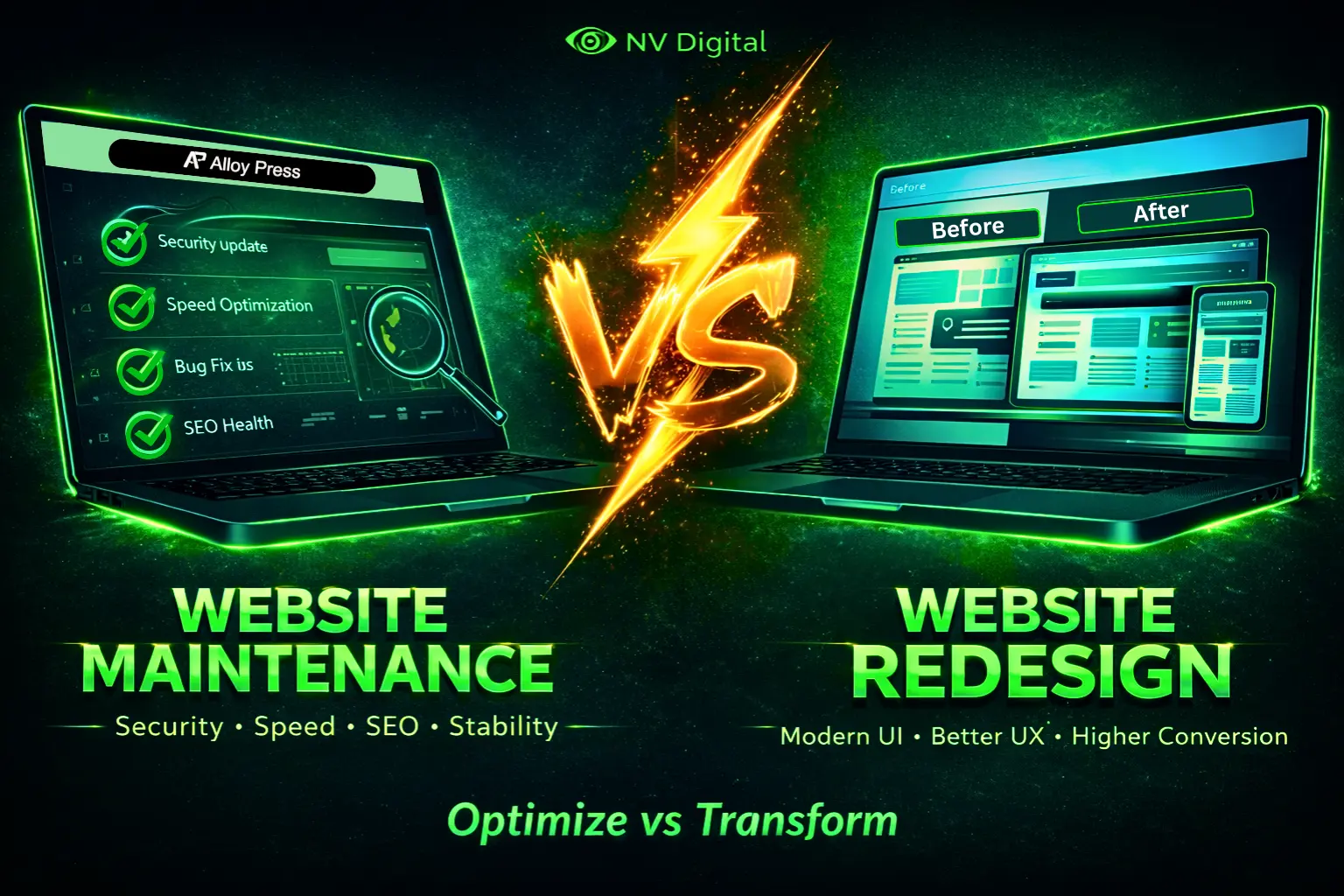
Let’s be honest: your website is more like a car than a painting. It’s not a “set it and forget it” masterpiece; it’s a dynamic machine that needs regular care. And sometimes, it needs a major upgrade. But how do you know whether to give it a tune-up or trade it in for a new model?
This guide cuts through the confusion. We’ll break down the key differences between website maintenance and a website redesign, helping you make the smart, cost-effective choice for your business.
Table of Contents
What is Website Maintenance? (Keep Your Home Clean and Organized Every Day)
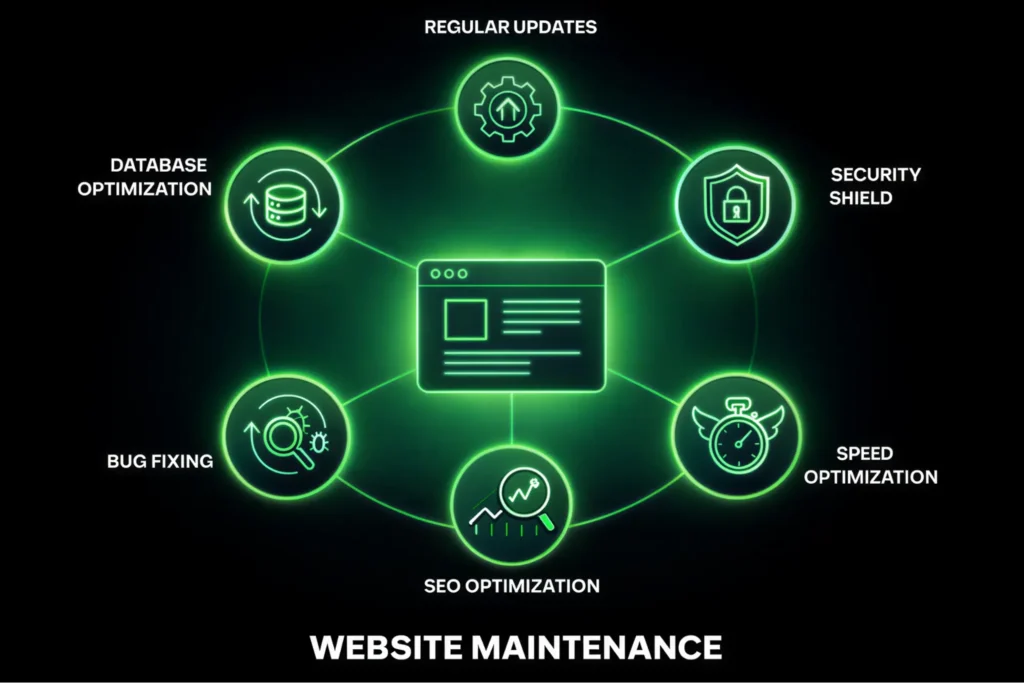
Website maintenance is the ongoing process of keeping your existing website secure, updated and functioning smoothly. It’s all about preserving and optimizing what you already have.
For Example: Imagine your website is your house. Maintenance is like doing the weekly cleaning, fixing a leaky faucet, changing the air filters and checking the locks. The house’s layout and style stay the same, but it’s kept clean, safe and comfortable for visitors.

Your Website = Your House
Sweeping the floor = Content cleanup
Close the tap = Patch minor issues
Fixing a leaky faucet = Bug fixing
Checking water flow = Speed optimization
Fix new switch box = Fix server
Changing air filters = Performance optimization
Replacing light bulbs = Fix broken links
Checking the lock = Security updates
If you don’t maintain your website consistently and properly using a structured website maintenance checklist, you won’t be able to see real growth.
Website Maintenance Checklist
Website maintenance works best when it follows a clear system. Without a structured checklist, small issues often go unnoticed until they affect performance, security, or search rankings.
If you’re serious about keeping your site secure, fast, and reliable, don’t rely on guesswork. Follow a proven process.
Note: If you do website maintenance without a checklist, there’s a high chance you’ll miss important things and face unnecessary problems later, so it’s always better to follow a clear Website Maintenance checklist and do it properly from the start.
What is a Website Redesign? (Think of it like renovating an old house.)
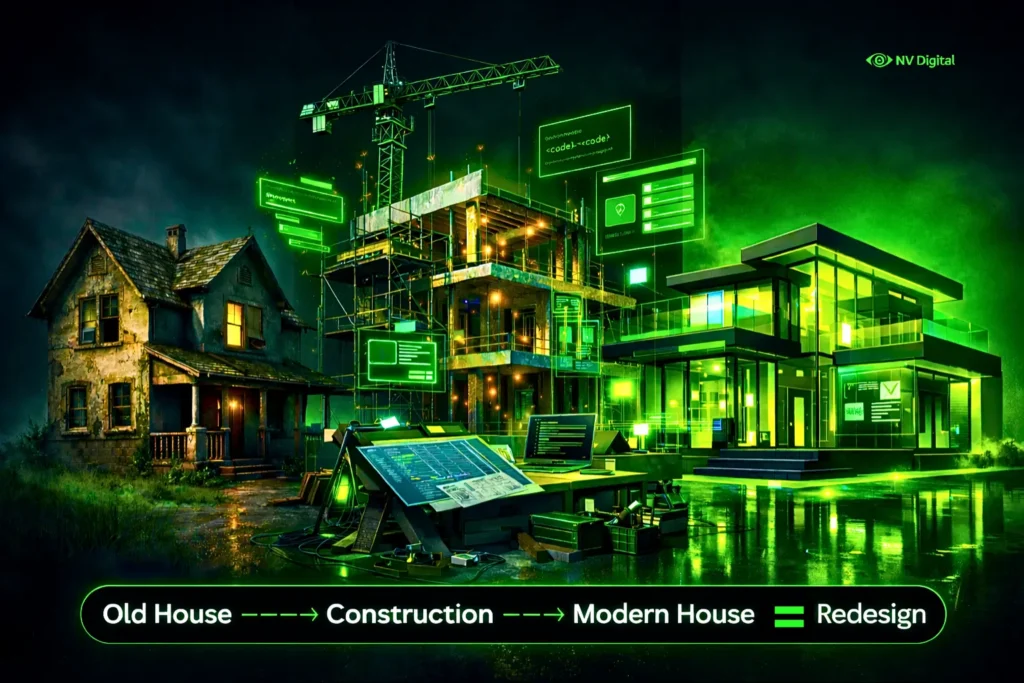
A website redesign is a major project where you completely change the look, structure and sometimes even the technology behind your website. It’s a strategic update done to meet new goals, improve user experience or refresh your brand.
For example, think of it like a house. A redesign is similar to a big renovation or even rebuilding from scratch. You might remove walls, change the layout, update the outside style, and even build on a stronger, more modern foundation. In the end, the house feels completely different from before.
What is a Website Redesign? (Think of it like renovating an old house.)
Note: The Above video is just an example to clearly show what a website redesign means. It was generated using Grok. If you want to create similar videos, check the blog Grok AI Image and animation review where everything is explained clearly with real examples.
Quick Comparison: Maintenance vs Redesign
| Feature | Website Maintenance | Website Redesign |
|---|---|---|
| Scope | Ongoing, incremental improvements | Project-based, major repair |
| Focus | Preservation, security and updates | Transformation, new strategy, rebranding |
| Time | Regular, small time commitments and ocasionally big tweaks. | Intensive, one-time project lasting weeks or months |
| Analogy | Like health checkups or car servicing | Like renovating or building a new house |
| Goal | Keep the website running smoothly and efficiently | Achieve new business or performance goals |
First Step is Analyse Your Current Website Condition
Before you decide weather website maintenance or website redesign, take a close look at your website and ask yourself a few honest questions.
- Is your website slow or do pages crash sometimes?
- Does the design look old or not work properly on mobile phones?
- Is the website hard to use or difficult for visitors to find information or contact you?
- Is your content up to date, accurate and interesting to read?
- Is your website bringing leads or sales and supporting your current business goals?
- Are you often fixing technical issues or using an outdated platform?
Do you need maintenance or a redesign? A Decision Table
| You Probably Need Website Maintenance If | You Probably Need a Website Redesign If |
|---|---|
| Your site is generally working well and meets basic goals | Your site no longer reflects your brand or business vision |
| You mainly need updates, security patches and content refreshes | Your bounce rate is high and visitors are not converting |
| You like the current design but want better speed and SEO performance | The design looks outdated and is not mobile-friendly |
| You are getting steady traffic and leads | Your site is built on old technology that is hard to maintain |
| You only face small bugs or minor issues sometimes | You are entering a new market or launching a major new service |
| Your main concern is keeping the site secure and stable | Your competitors’ websites look much better and work more smoothly |
Ask Yourself These Final Questions
Ask yourself these final questions before you decide.
Does your website design make your business look less professional? If yes, you likely need a redesign.
Are your main business goals not being achieved through your website? If not, a redesign may be the better choice.
Is your website technically fine but just needs some improvements or updates? If yes, maintenance should be enough.
Is your main problem related to security issues or small technical bugs? If yes, you only need maintenance.
Can you reach your goals just by updating content or adding small features? If yes, maintenance is the right option.
Cost Breakdown: (Maintenance cost vs Full Redesign)
Website Maintenance Cost
This is a regular cost paid monthly or yearly. It is usually between 50 and 500 dollars or more per month. The cost depends on your website size, requirements, SEO budget, how many updates you need, and who manages it. This is the cost of keeping your website running smoothly.
Website Redesign Cost
This is a one-time cost. A simple website redesign may start around 3,000 dollars, while a bigger, custom website can cost 50,000 dollars or more. This is an investment to improve your website and help your business grow.
Will I Lose SEO Rankings? The Honest Truth
During Website Maintenance
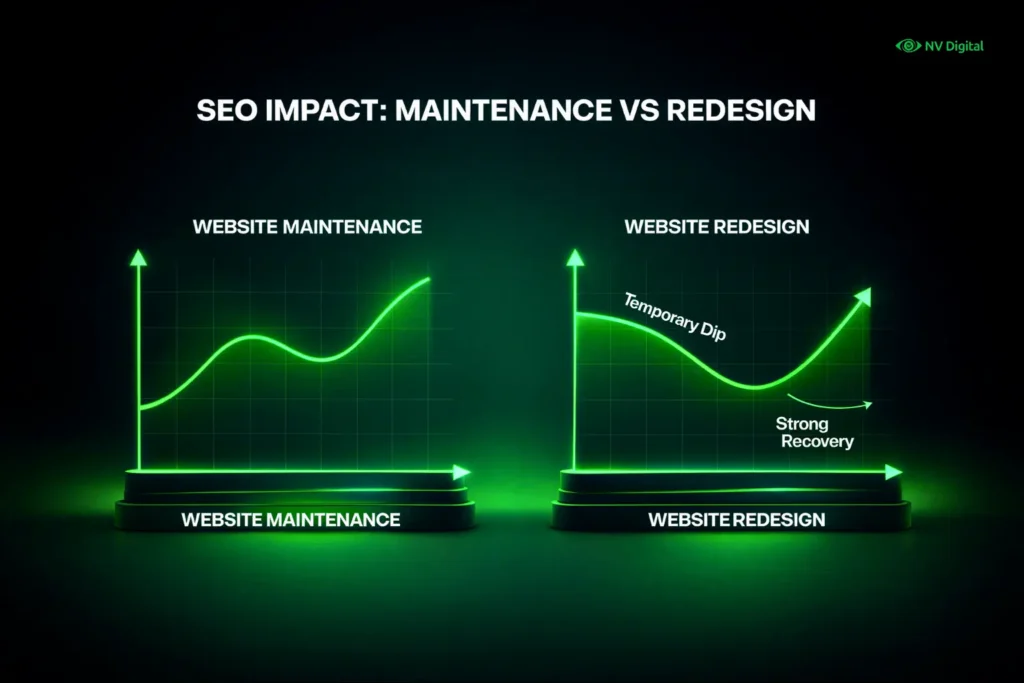
You are not harming your SEO. In fact, you are protecting and improving it on a continuous basis. Regular work like fixing broken links, updating content, publishing new content regularly, and improving site speed helps your website stay strong in search results. It is like routine care to keep your rankings healthy.
During a Website Redesign
There can be some risk to SEO, but it can be handled the right way. Big changes to page links, website structure, or content can confuse search engines at first. This is also one of the main reasons businesses feel frustrated and start searching for answers like why seo is not working now, especially after major site changes. But if the redesign is done properly with good SEO planning, such as handling URLs properly, setting up redirects and keeping important content, your rankings can recover and even improve over time.
Will My Traffic Dip?
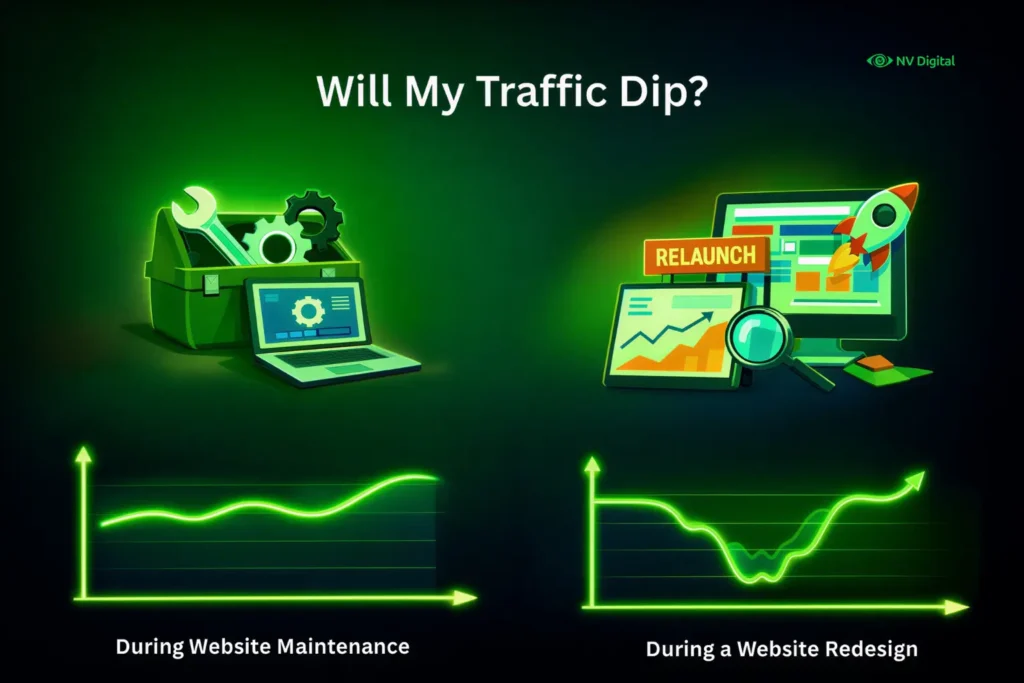
During Website Maintenance: Rarely. Most maintenance happens seamlessly in the background. Temporary dips might occur only if there’s significant downtime during an update, which should be minimized.
During a Website Redesign: A short-term dip is common. As search engines re-crawl and re-index your new site, you may see fluctuations for a few weeks. This is normal and should stabilize post-launch with proper SEO practices.
Why Do I Need Maintenance If Nothing Appears Broken?
Maintenance is necessary because online risks and standards keep changing.
It fixes security gaps before hackers can use them, ensures backups work if your site crashes, and helps your website stay compliant with evolving data privacy expectations – especially when supported by modern privacy-focused ai tools used for monitoring and risk detection., ensures backups work if your site crashes, keeps your website aligned with data privacy rules and supports SEO with regular updates that match search engine changes.
When Do You Absolutely Need a Website Redesign?
It becomes necessary when your brand has changed but your website still looks old and does not match your current style. It is also a sign that users are not having a good experience and your data shows people are leaving quickly without taking action.
If your website does not work properly on mobile phones, that is a serious problem because most people browse on mobile phones now.
You may also need a redesign if your website is built on old technology that is hard to update or no longer supported.
Finally, if your business goals have changed and your website cannot support your new services or sales process, especially as companies adopt automation, analytics and AI in business development, a redesign is the right strategic step.
Watch: Website Maintenance vs Redesign Explained
Still unsure whether your website needs regular maintenance or a complete redesign?
Watch this quick breakdown before making a decision:
Website Maintenance or Full Redesign? Don’t Decide Before Watching This
How to Do Website Maintenance & Website Redesign
| Step | Website Maintenance | Website Redesign |
|---|---|---|
| 1 | Audit the site for broken links, speed issues and security problems | Define your strategy and goals and decide what success looks like |
| 2 | Update the sections, plugins and themes after taking a backup | Analyse the old website’s performance, content, and SEO |
| 3 | Perform and check regular backups weekly or daily | Plan the new structure using sitemaps, wireframes and design mockups |
| 4 | Run security scans to detect malware or threats | Develop the new website on a staging server, not on the live site |
| 5 | Refresh content, blogs and metadata | Move and optimize content carefully and set up proper redirects |
| 6 | Monitor performance using tools like Google Analytics and Search Console | Test the website on different devices and browsers |
| 7 | Check forms and key features to make sure everything is working properly | Launch the new website by moving it from staging to live |
| 8 | Remove spam comments, redirected links and unused plugins or files | Monitor after launch and keep improving performance |
The 5 Golden Rules of Effective Web Maintenance
Set up automatic backups and schedule regular checkups. Staying consistent is important.
Never make changes to your live website without taking a backup first.
Security is very important. Keep your software updated and use security tools or scans.
Keep an eye on performance. Use tools to check your website speed, uptime and SEO health.
Keep your content up to date. Update your blog, refresh old pages and make sure all information is correct.
The 5 Golden Rules of a Successful Web Redesign
Start with strategy before design. Do not redesign your website just to change how it looks. First, be clear about your business goals and what your users need.
Do not ignore SEO. Plan your website move carefully so every old page link properly redirects to a new one.
Focus on your users, not just your personal taste. Your website should be easy for visitors to use.
Content is very important. Plan your content properly before the development work starts.
Test everything carefully before launch. Check your website on different devices and browsers, and if possible, let real users try it too.
FAQ’s
Q: Can I do maintenance and a redesign at the same time?
A: Not really. Pauses maintenance during an active redesign project, as you’re building a new site. After the redesign, maintenance resumes on the new site.
Q: How often should I redesign my website?
A: A good rule of thumb is every 3-5 years, but let user feedback, performance metrics and business changes be your real guide. If you’re actively doing maintenance, redesign is mostly rare to do.
Q: Is website maintenance a one-person job?
A: It can be for small sites, if you’re technically inclined. For most businesses, it’s more efficient and secure to hire a professional like NV Digital.
Q: What’s the biggest risk of skipping maintenance?
A: A security breach leading to a hacked site, lost data, ranking drops, bad user experience and ruined reputation or a catastrophic crash with no recent backup.
Q: Can a redesign guarantee more sales?
A: Not by itself. A strategic redesign that improves user experience and conversion paths can dramatically increase sales but the strategy is what drives the result, not just the new design.
Conclusion
Think of website maintenance as the basic care that keeps your website healthy and working properly. A redesign is a bigger step you take when your current website can no longer support your business goals.
Most successful businesses need both. They keep their website well-maintained and choose to redesign when it is truly needed. Start by checking your website today. If it is still working well, focus on regular maintenance. If it is slowing your business down, it is time to plan a proper redesign. Your website works for you all the time, so give it the care and improvements it needs to perform at its best.

0 Comments